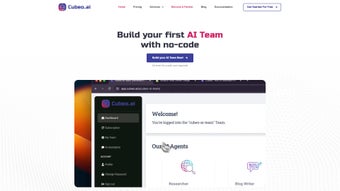

Download Cubeo – AI Business Automation Tool for Streamlined Operations
Introduction
Cubeo is a cloud‑native, no‑code AI automation platform designed to let businesses of any size replace repetitive manual work with intelligent agents. Whether you are a solo entrepreneur looking to capture leads 24/7, a marketing manager seeking to automate email follow‑ups, or an HR director wanting to pre‑screen candidates without endless spreadsheet work, Cubeo provides a visual canvas where you can drag, drop, and configure AI‑driven workflows in minutes. The platform ships with a library of pre‑built agents that cover common use‑cases such as lead generation, ticket triage, appointment scheduling, and basic analytics reporting.
Because every agent lives in the secure cloud, updates to underlying machine‑learning models, security patches, and new integrations are delivered automatically, eliminating the need for manual upgrades or on‑premise maintenance. Integration is a core pillar of Cubeo’s design; native connectors for HubSpot, Salesforce, Slack, Google Workspace, Microsoft 365, and dozens of other SaaS tools let you pull data from existing systems and push results back without writing code. Security‑first architecture ensures end‑to‑end encryption, GDPR compliance, and regular third‑party audits, making the solution suitable for highly regulated industries.
In short, Cubeo promises a fast, affordable, and scalable way to embed AI into everyday business processes, freeing staff to focus on strategic work while the platform handles the routine. This introduction will give you a clear picture of what Cubeo offers, why it matters, and how it fits into modern digital workplaces.
Core Features of Cubeo
- No‑Code AI Builder: A drag‑and‑drop canvas where users assemble AI agents from pre‑designed blocks, set triggers, and define outcomes without a single line of code.
- Pre‑Built Agent Library: Ready‑made agents for lead generation, email follow‑ups, ticket triage, HR onboarding, and more, all customizable to match brand voice and business rules.
- Seamless SaaS Integration: Out‑of‑the‑box connectors for CRM, ERP, communication, and project‑management tools, allowing agents to read and write data across platforms.
- Real‑Time Analytics Dashboard: Visual reports that track AI performance, task completion rates, cost savings, and ROI, helping managers make data‑driven decisions.
- Multi‑Channel Support: Deploy AI assistants on websites, chat widgets, email, SMS, and popular messaging apps such as Slack and Microsoft Teams.
- Secure Cloud Hosting: End‑to‑end encryption, GDPR compliance, and regular security audits protect sensitive business data.
- Scalable Pricing Model: Tiered subscription plans that grow with the organization, from a free starter tier to enterprise‑level packages with dedicated support.
- Continuous Learning Engine: Built‑in machine‑learning models that improve over time based on user feedback and interaction data.
The breadth of these capabilities means that a single Cubeo workspace can replace a whole suite of point solutions. For example, a sales team can select the “Smart Lead Nurturer” agent, connect it to Salesforce, and configure a trigger that fires whenever a new prospect is added. The AI then drafts a personalized outreach email, logs the interaction, and notifies the account executive in Slack—all without manual steps.
Likewise, a support department can use the “Ticket Resolver” agent to automatically categorize incoming tickets, suggest knowledge‑base articles, and route complex cases to a human specialist. The continuous‑learning engine monitors success rates and refines its suggestions, ensuring that performance improves month over month. By consolidating these workflows under one umbrella, Cubeo reduces licensing overhead, eliminates data silos, and provides a unified view of automation health through its analytics dashboard.
Installation, Usage & Compatibility
Because Cubeo is delivered as a SaaS product, there is no traditional download or local installation required. Getting started is as simple as visiting the Cubeo website, creating a free account, and confirming your email address. Once logged in, an onboarding wizard walks you through the creation of your first AI agent by asking natural‑language questions such as “What routine would you like to automate?” and then suggesting the most appropriate template from the library.
Step‑by‑step usage guide:
- Sign up & verify: Register with a corporate email, click the activation link, and log in to the Cubeo dashboard.
- Select an agent template: Choose from categories like Marketing, Sales, Support, or HR. Each template includes a concise description of its capabilities.
- Connect your tools: Use the Integrations tab to link Cubeo with existing SaaS applications. Authentication is handled via OAuth, ensuring secure token exchange.
- Configure triggers & actions: Define when the AI should activate (e.g., new lead added, ticket opened) and what actions it should perform (e.g., send email, update CRM field).
- Test in sandbox mode: Run the agent with sample data to verify logic, then enable “Live” mode for production use.
- Monitor & iterate: Review performance metrics on the analytics dashboard and refine the agent’s parameters as needed.
Cubeo’s web interface is fully responsive and works on any modern browser, including Chrome, Edge, Firefox, and Safari. Because the platform runs in the cloud, it is compatible with Windows, macOS, Linux, iOS, and Android devices. The only requirement is a stable internet connection and a browser that supports JavaScript ES6. For organizations with strict security policies, Cubeo also offers a private‑cloud deployment option that can be hosted behind a corporate firewall, ensuring data residency and compliance with regional regulations.
User management follows a role‑based access control (RBAC) model. Administrators can assign roles such as “Agent Builder,” “Viewer,” or “Super Admin,” controlling who can create, edit, or delete AI agents. Single sign‑on (SSO) integration with Azure AD, Okta, or Google Workspace streamlines provisioning and reduces password fatigue. Overall, Cubeo’s frictionless onboarding, intuitive visual builder, and cross‑platform compatibility make it easy for teams to collaborate on automation projects regardless of the devices they use.
Conclusion, Pros & Cons, FAQ & Call to Action
Pros:
- Intuitive no‑code builder makes AI accessible to non‑technical users.
- Extensive library of pre‑built agents accelerates time‑to‑value.
- Robust integration ecosystem eliminates data silos.
- Scalable cloud architecture with optional private‑cloud deployment.
- Transparent pricing tiers, including a free starter plan.
Cons:
- Advanced customizations may still require understanding of AI concepts.
- Performance depends on internet connectivity; offline use is limited.
- Enterprise plan pricing can be high for very small businesses.
- Learning curve for users unfamiliar with workflow automation.
Frequently Asked Questions
Is Cubeo really a no‑code solution?
Yes. Cubeo’s visual canvas allows users to create AI agents by dragging pre‑built blocks, setting parameters, and connecting integrations—all without writing code.
Can I try Cubeo before committing to a paid plan?
Cubeo offers a free tier that includes access to core features, limited AI runs per month, and basic integrations, allowing businesses to evaluate the platform risk‑free.
What security measures does Cubeo implement?
Cubeo uses end‑to‑end encryption, adheres to GDPR and SOC 2 standards, conducts regular penetration testing, and provides role‑based access control with optional SSO.
How does Cubeo integrate with my existing CRM?
Cubeo includes native connectors for Salesforce, HubSpot, Zoho, and Microsoft Dynamics. Integration is performed via OAuth, and data mapping can be configured within the agent builder.
Is there a limit to the number of AI agents I can create?
Limits are defined by the subscription tier. The free plan allows up to three active agents, while paid plans offer unlimited agents and higher execution quotas.
In summary, Cubeo stands out as a powerful, user‑friendly AI automation platform that can help businesses of any size reduce manual effort, improve response times, and ultimately increase revenue. Its no‑code approach democratizes AI, while robust integrations and strong security keep it enterprise‑ready. If you’re ready to eliminate repetitive tasks and let intelligent agents handle the heavy lifting, download Cubeo today and start building your first AI assistant within minutes.



.png)



